
300×300 Image Converter – Resize & Crop to a Square
Convert any image to exactly 300×300 pixels for social media, profiles, and more
Drop your image here or click to upload
Supports JPG, PNG, WebP, GIF • Any size welcome
Perfect for avatars
Instagram, Facebook
Video & article previews
Icons & graphics
✂️ Cropping Mode
Focus on center
Auto-detect focus
Add background
Distort to fit
⚙️ Export Settings
💡 Pro Tips
- Use PNG for logos with transparency
- JPEG works best for photos
- WebP offers best compression
📷 Original Image
✨ 300×300 Result
What the 300×300 converter does
- Center Crop keeps the middle of your photo and trims the edges to a perfect square.
- Smart Crop looks for the busiest part of the image and centres the crop on it.
- Fit & Fill keeps the whole image and fills the empty space with a background colour you choose.
- Stretch forces the image to 300×300 without cropping (it can distort faces and logos).
- Download as JPG, PNG (keeps transparency) or WebP, with adjustable quality for JPG and WebP.
- Your image is processed in your browser and is never uploaded to our servers.
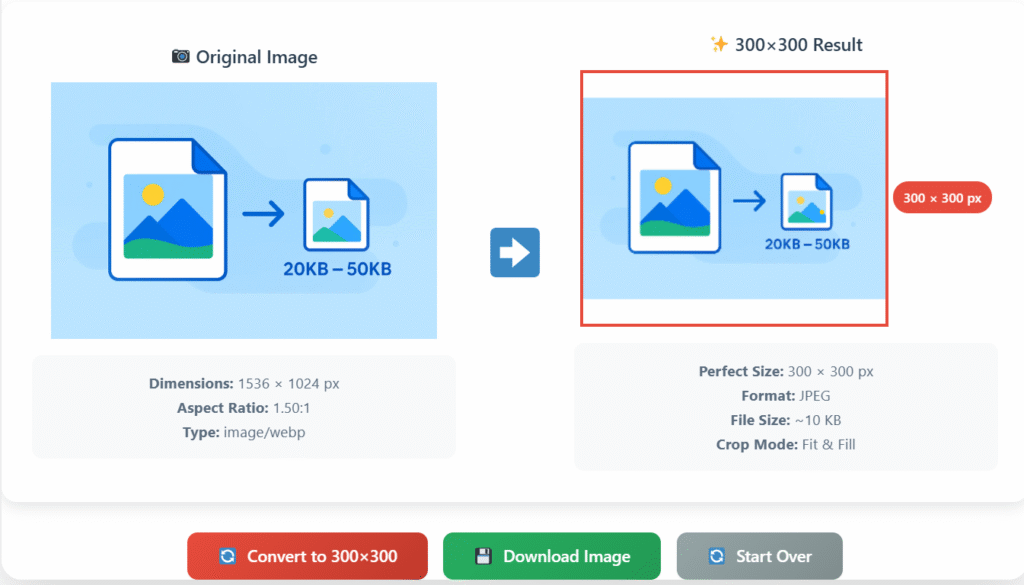
Make any image exactly 300×300 pixels
A 300×300 image is a small, perfectly square picture: 300 pixels wide and 300 pixels tall, an aspect ratio of 1:1. It is a common size for profile pictures, avatars, product thumbnails, app and website icons, and form uploads that ask for a small square photo. This converter crops or fits your photo to that exact size in a few seconds.
How to convert an image to 300×300
- Upload a JPG, PNG, WebP or other image file.
- Choose a cropping mode: Center Crop, Smart Crop, Fit & Fill or Stretch.
- Pick the output format and quality.
- Click Convert to 300×300, check the preview, then download.
Which cropping mode should you choose?
| Mode | What it does | Best for |
|---|---|---|
| Center Crop | Trims the edges and keeps the middle | Portraits and centred subjects |
| Smart Crop | Centres the crop on the most detailed area | Photos where the subject is off-centre |
| Fit & Fill | Keeps the whole image and adds a background | Logos, products and documents |
| Stretch | Squashes the image to fit with no cropping | Patterns and textures only |
How big is 300×300 in inches and cm?
Pixels have no physical size until you print them. The print size depends on the DPI (dots per inch):
| DPI | Inches | Centimetres |
|---|---|---|
| 300 (photo print) | 1 × 1 | 2.54 × 2.54 |
| 150 | 2 × 2 | 5.08 × 5.08 |
| 96 (typical screen) | 3.13 × 3.13 | 7.94 × 7.94 |
| 72 | 4.17 × 4.17 | 10.58 × 10.58 |
Need an exact size in centimetres instead? Use the Resize Image in CM tool.
Tips for a sharp 300×300 image
- Start from a larger photo. Shrinking keeps detail; enlarging a tiny image makes it blurry.
- Use PNG for logos and graphics with text, and JPG for photos.
- If a form also sets a file-size limit, resize here first, then reduce the file size with the Resize Image to 20KB tool.
Frequently asked questions
Is the 300x300 image converter free?
Yes. It is free to use with no sign-up and no watermark.
Will my image lose quality?
Shrinking a larger photo to 300×300 keeps it sharp. Enlarging an image that is smaller than 300×300 makes it softer, because resizing cannot add detail that was not there.
Which crop mode should I use?
Use Center Crop or Smart Crop for photos and profile pictures, Fit & Fill for logos or products that must stay whole, and Stretch only when distortion does not matter.
How big is 300×300 pixels when printed?
At 300 DPI it prints at 1 × 1 inch (2.54 × 2.54 cm). At 150 DPI it prints at 2 × 2 inches (5.08 cm).
Can I keep a transparent background?
Yes. Choose PNG (or WebP) as the output format. JPG does not support transparency.
Does it work on my phone?
Yes. The converter works in mobile browsers on iPhone and Android.